
Smile Generation MyChart
PDS Health TechnologiesMedical
4.2231.00 Reviews
- Version
- 11.5.2
- Installs
- 100.00K
- Age Rating
- Everyone
Screenshots
Our Review of Smile Generation MyChart
 Analysis by Appyee
When I need to keep track of dental and broader health information without making another phone call, Smile Generation MyChart is the kind of app I would try first. It is a free medical app from PDS Health Technologies, built around managing personal health information rather than offering a general wellness feed or a symptom-search tool. That focus makes it useful in a very practical way: it gives me one place to begin when I need to review information connected with my care.
The app has a 4.2 average from more than 500 ratings, with over 200 written reviews and more than 100,000 installs. Those figures suggest that it has found a real audience, although they also tell me to keep expectations sensible. A patient portal is only as helpful as the information and communication connected to the healthcare organization using it. The app can make access easier, but it does not replace a clinician, an appointment, or urgent medical help.
Following a health task from the first check to the final result
I find that a health task is easier to finish when I treat the portal as a sequence: check what is recorded, decide what still needs clarification, and then take that question to the right person. That approach also helps me notice when the app has done its part and a conversation is the better next step. From there, the key question is how smoothly that process holds up in everyday use.
Starting with a specific reason to open the app
I get the most value from Smile Generation MyChart when I open it with a clear task in mind. That might be checking information after a visit, preparing for a conversation with a healthcare office, or simply trying to understand what is already recorded in my health information. Starting with a purpose matters because medical portals can feel overwhelming when I browse without knowing what I am looking for.
My first practical step would be to make sure I am using the correct account and that my personal details are accurate. This is not glamorous, but it is important. If an account is incomplete or connected to the wrong patient record, every later step becomes harder. I would also keep the app updated before relying on it for an important task. The current version is 11.5.2, and the app supports devices running Android 9 or later.
Because this is a medical app, I would treat the account as a place for private health information rather than as a casual app I open and leave signed in everywhere. A shared phone, an unlocked screen, or careless notification handling can expose more than intended. My own habit would be to use the phone’s security features, review what appears on the lock screen, and sign out or protect access when other people regularly use the device.
Moving through the information instead of relying on memory
Once I am inside, the main advantage is having health information available in a digital record instead of trying to reconstruct everything from paper, old messages, and memory. That is especially helpful before an appointment. I can review what I already know, note questions, and avoid spending the first part of a visit repeating basic details that are already documented.
A useful workflow is to look at the record before contacting the office. If I am unsure whether something was already addressed, checking the available information first may prevent an unnecessary call. It can also help me phrase a question more clearly. Rather than saying, “I do not know what happened with that visit,” I can refer to the specific item I am reviewing and ask the office to clarify the part that remains confusing.
This is one of the less obvious strengths of a patient portal: it can improve the quality of a conversation even when it does not answer the question by itself. I would use the app as a preparation tool. Before a follow-up, I could write down the date or subject of the information I am reviewing, identify anything that seems incomplete, and keep the conversation focused.
Handling the handoff between the app and the care team
The app is not the entire healthcare process. At some point, information has to move between me, the portal, and the people responsible for my care. That handoff is where expectations matter most. A portal can organize access to health information, but it should not be treated as an emergency channel or as a guaranteed instant conversation with a clinician.
If I have a routine question, I would first use the information already available to decide whether the issue can wait for normal communication. If the question needs professional interpretation, I would contact the appropriate healthcare office rather than trying to diagnose myself from a record. If the situation feels urgent or dangerous, I would use emergency services or immediate medical care instead of waiting for an app response.
That distinction may sound obvious, but it changes how I judge the app. I do not expect Smile Generation MyChart to turn a medical record into a diagnosis. I judge it by whether it helps me reach the right next step with less confusion. In that role, it can be more useful than searching the web, because a general search gives broad possibilities while a patient portal is tied to my own care information.
There is also a human handoff to consider. If a family member helps manage someone’s healthcare, the patient should decide how that access is handled through the available account and care arrangements. I would not casually share a password by text or leave the account open on a family device. The convenience of shared help is valuable, but privacy and accuracy still matter.
Turning the record into an outcome
The outcome I want is not simply “I opened the app.” It is a completed task: I found the information I needed, prepared for a visit, recognized that I needed to contact the office, or confirmed what should happen next. The app works best when it reduces the distance between a question and an informed action.
For example, imagine I am getting ready for a routine appointment and cannot remember what was discussed during the previous visit. Instead of searching through paper or making a call just to ask what is already recorded, I would open the portal, review the relevant information, and make a short list of follow-up questions. At the appointment, that list becomes a handoff from my own preparation to the clinician’s expertise. Afterward, I can return to the app to keep track of the information that matters to me.
That workflow is modest, but it is realistic. Many healthcare frustrations come from small gaps: forgetting a detail, losing a document, calling the wrong place, or not knowing whether a question was already answered. A patient portal cannot remove every gap, yet it can give me a more reliable starting point than memory alone.
I also appreciate that the app is free. There is no purchase decision standing between a patient and the basic act of trying it. It is rated for Everyone, which makes the presentation broadly approachable, although a medical portal still requires adult judgment when interpreting health information. The free price is a practical advantage, but it does not mean every healthcare task will happen inside the app.
Where the flow becomes less comfortable
The first point of friction is account access. Any portal can become frustrating if the login process is slow, credentials are forgotten, or the account is not connected as expected. I would not wait until the morning of an important appointment to discover that I cannot get in. A quick test beforehand is a simple way to avoid turning a small technical problem into a stressful healthcare problem.
The second issue is that records can require interpretation. A medical entry may be accurate but still difficult for a patient to understand without context. I would resist the temptation to treat unfamiliar wording as a diagnosis or to make a treatment decision based only on what I see on screen. The app can show information; the care team provides the clinical meaning.
Another limitation is dependence on the organization behind the record. If an item has not been entered, has not been updated, or belongs to a different part of my care, I may still need to call. This is why I see the app as a companion to healthcare rather than a replacement for reception staff, nurses, dentists, doctors, or emergency services.
There is also a trade-off between convenience and attention. Having health information available at any time can encourage me to check repeatedly, especially when I am anxious. I would set a clear purpose before opening the app and avoid refreshing it as a substitute for getting appropriate medical advice. Digital access is helpful; constant checking is not automatically helpful.
How it compares with the usual alternatives
The most common alternative is a phone call. Calling an office remains better when I need a quick explanation, when the record appears wrong, or when the issue needs a person to make a judgment. The app is better for reviewing information on my own schedule and for preparing before I call. In practice, I would use both rather than treating them as competitors.
Paper records have a different advantage: they can be read without a device or connection and may be easier to hand to someone in person. Their weakness is that they are easy to misplace and difficult to keep current. Smile Generation MyChart is more convenient for organized digital access, while paper can still be useful as a backup for important documents or situations where phone access is unreliable.
General health websites and search engines are useful for learning basic medical vocabulary, but they are not a substitute for a personal record. They can also increase anxiety by presenting possibilities without knowing my history. I would use general information to understand a term, then return to the healthcare team for advice about what it means in my situation.
Other health apps may focus on exercise, medication reminders, symptom tracking, or wearable data. That is not the central reason I would choose this one. Its value is the connection to managing health information through a patient-oriented portal. If my main goal is fitness tracking or habit building, I would look elsewhere. If my goal is to stay oriented around my care record, this app is more relevant.
Three habits that make the app more useful
First, I would open it before a healthcare interaction, not only after something goes wrong. Reviewing information in advance helps me notice questions while I still have time to ask them. It also makes the appointment more efficient because I arrive with a focused list rather than trying to remember everything under pressure.
Second, I would separate facts from interpretations. I might use the app to identify what was recorded, but I would mark the questions that require a professional explanation. This prevents a common portal mistake: assuming that seeing a term means understanding its significance. The app supports preparation; it does not turn me into my own clinician.
Third, I would use a two-step backup for important matters. I would keep the app as the convenient reference, but save the key question, appointment detail, or instruction in a private personal note when appropriate. That way, a temporary login issue or a dead phone battery does not erase my preparation. I would not copy sensitive information into an insecure place, but I would avoid depending on one screen for every detail.
Who should use it and who should choose another route
I think Smile Generation MyChart is a good fit for people who want a straightforward digital way to stay connected with their health information and who are comfortable checking a portal before calling an office. It is particularly useful for patients who often forget details between visits, need to prepare questions, or prefer reading their information privately before speaking with a healthcare professional.
It may be less suitable as the main solution for someone who rarely uses smartphones, has unreliable device access, or needs immediate personal assistance with every question. In those cases, calling the healthcare office or asking for in-person help may be more effective. The app should also be skipped as a first response to an emergency. A portal is not designed to replace immediate care.
My overall view is positive but measured. The free access, medical focus, and practical record-management purpose make it worth trying for eligible patients who want a digital connection to their care. Its real benefit appears in the complete workflow: I begin with a question, review the available information, hand unresolved issues to the care team, and leave with a clearer next step.
That workflow is also the honest boundary of the experience. The app cannot guarantee that every answer will be visible, instantly understood, or handled without human contact. When the record is current and the task is routine, it can save effort and reduce uncertainty. When the issue is urgent, complicated, or missing from the record, the better choice is a direct conversation with a healthcare professional.
Smile Generation MyChart was released on March 24, 2020, and its current version shows that it remains an actively maintained option for this kind of access. I would recommend it to a friend who wants a convenient starting point for managing health information, with one important reminder: use the app to organize your care, not to replace the care itself.
Verdict
Strengths of Smile Generation MyChart
- Secure access to medical records, test results, and visit summaries.
- Convenient appointment scheduling and cancellation from your phone.
- Direct messaging helps you contact participating care teams remotely.
- Prescription refill requests can save time between routine appointments.
- Proxy access may let caregivers manage records for eligible family members.
Limitations of Smile Generation MyChart
- Features vary significantly by healthcare provider and connected systems.
- Some results may appear before a doctor has explained them.
- Messaging is not intended for urgent medical emergencies.
- Registration can require an activation code or identity verification.
- Notifications may be delayed if app permissions or sync settings are limited.
Similar Picks in This Category
View All
WebMD: Symptom Checker
WebMD, LLC4.1

Microphone Amplifier
DOSA Apps4.2

Anatomy Learning - 3D Anatomy
3D Medical OU4.5

Period Tracker and Calendar
SimpleInnovation4.9

GoodRx: Prescription Coupons
GoodRx4.8

CVS Health
CVS Pharmacy4.5
Frequently Asked Questions
What is Smile Generation MyChart used for?
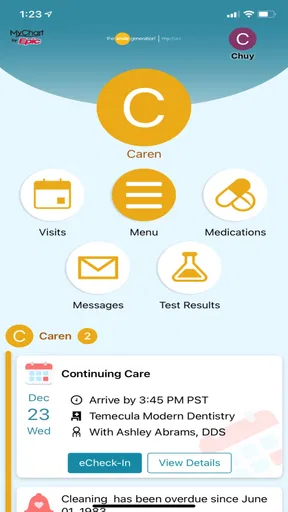
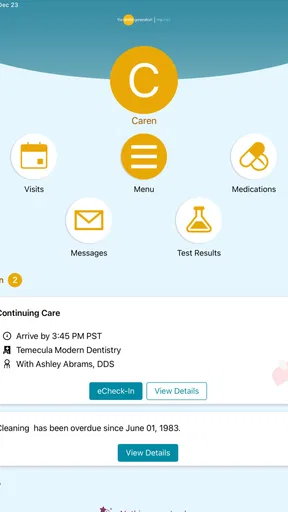
Smile Generation MyChart is a patient portal for managing dental care through participating Smile Generation practices. After signing in, patients can typically review appointments, request or confirm visits, receive reminders, access selected treatment information, and communicate with the dental office. Available tools may differ by practice, location, and the patient’s account setup, so it should be viewed as a companion to direct communication with your dentist rather than a replacement for professional care.
How do I create an account or sign in to Smile Generation MyChart?
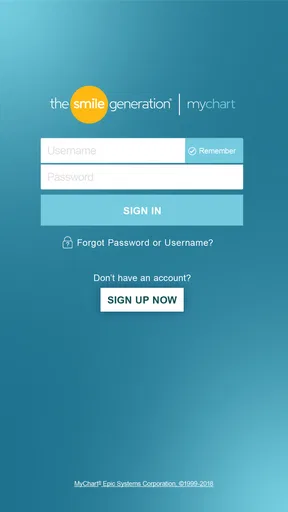
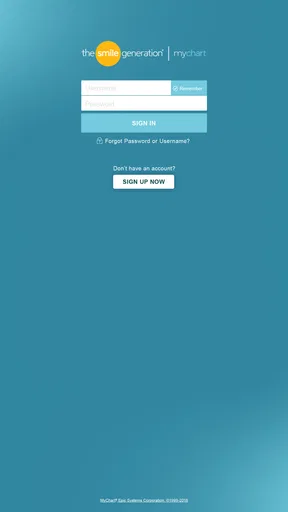
To use the app, you generally need to be an existing patient of a participating Smile Generation dental practice and provide identifying information used to match your patient record. Registration or activation may require an email address, mobile number, activation code, or assistance from the office. If you cannot sign in, have forgotten your password, or your information is not recognized, use the recovery options in the app or contact your dental practice directly.
Can I schedule, cancel, or change a dental appointment in the app?
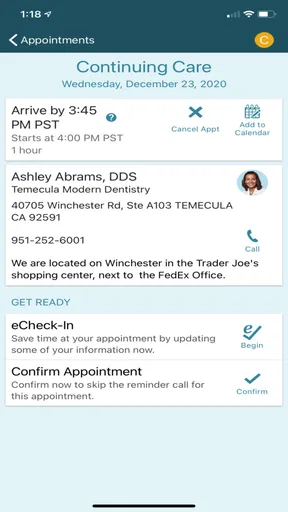
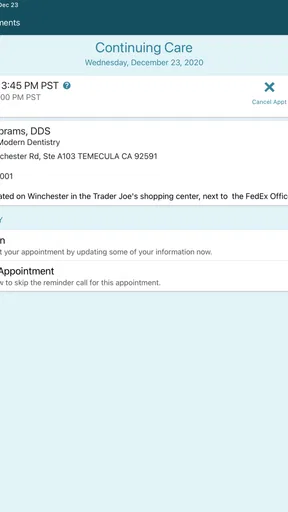
The app may allow you to request appointments, view upcoming visits, confirm scheduled times, and in some cases cancel or reschedule an appointment. These options depend on the individual Smile Generation office and its scheduling policies. Some changes may require approval from staff, and last-minute cancellations could be subject to office fees. Always check the appointment details and contact the practice if the requested change is urgent or unavailable in the app.
Can Smile Generation MyChart provide dental advice or handle emergencies?
Smile Generation MyChart is designed for routine patient communication and account management, not for diagnosing conditions or treating emergencies. Messages may not receive an immediate response, particularly outside office hours. For severe tooth pain, facial swelling, uncontrolled bleeding, trauma, difficulty breathing, or difficulty swallowing, seek urgent professional or emergency medical care. For non-emergency concerns, contact your dental office and use the app only when its communication features are appropriate.
Is Smile Generation MyChart free, and what devices or information does it require?
The app is generally available at no separate download cost, although dental services, treatments, insurance charges, and other office fees are not included simply because you use the portal. It normally requires a compatible Android or iOS device, an internet connection, and valid patient account credentials. Because the app can display personal health and appointment information, use a strong password, keep your device updated, and avoid signing in on shared or unsecured devices.
